Understanding the Wooting 60HE v2 and Its Unique Features
The Wooting 60HE v2 is a pioneering mechanical keyboard that harnesses the power of Hall Effect switches to deliver an unparalleled typing experience. With the evolving landscape of custom keyboards in 2026, many enthusiasts are keen to explore the potential of this model and the various Wooting 60HE v2 upgrades available to enhance its capabilities. From gaming precision to typing comfort, the Wooting 60HE v2 sets itself apart through innovative technology and customizable features.
What Makes the Wooting 60HE v2 Stand Out?
One of the most notable features of the Wooting 60HE v2 is its true analog input capability. Unlike traditional mechanical keyboards, the Hall Effect switches allow for varying keystroke pressures, enabling gamers to finesse their gameplay with nuanced movements. Moreover, this keyboard employs an upgraded processing chip that ensures a rapid response time, achieving a polling rate of up to 8 kHz. This means every keystroke is registered almost instantaneously, providing a competitive edge in fast-paced gaming scenarios.
Exploring Key Differences: Wooting 60HE vs. v2
The transition from the original Wooting 60HE to the v2 introduced significant enhancements. While both models utilized Hall Effect switches, the v2 offers a more refined sound profile and better overall feel. The v2 is equipped with friction-fit pads pre-installed, which drastically improve the acoustic response and tactile feedback, making it ideal for both gamers and typists alike. Furthermore, the v2 features customizable lighting effects and key mapping options, catering to users seeking a personalized experience.
Why Upgrading Your Wooting 60HE v2 Matters
Upgrading your Wooting 60HE v2 is essential not only for personal preference but also for maximizing performance. Tweaking aspects like keycaps, switches, and even the physical case can lead to substantial improvements in typing feel and sound quality. With the right upgrades, users can tailor their keyboard to fit their unique needs, whether it's for gaming, professional typing, or casual use.
Essential Upgrades for Enhanced Performance
To unlock the full potential of your Wooting 60HE v2, consider the following essential upgrades that can significantly enhance performance and enjoyment.
Top Keycap Sets for Wooting 60HE v2 Upgrades
The right keycap set can transform the aesthetic and tactile experience of your keyboard. Choosing high-quality PBT keycaps that feature a pleasing texture and design will not only look great but also enhance your typing experience. Look for sets that offer profile variations like SA or DSA, which cater to different finger positions and preferences.
- PBT Keycaps: Durable and resistant to wear.
- Custom Designs: Unique aesthetics to match your setup.
- Profile Variations: Different heights and shapes for personalization.
Switch Options: Choosing the Right Feel
The Hall Effect switches in the Wooting 60HE v2 already provide an excellent base, but exploring different switch types can yield a better user experience. From tactile options for feedback to linear ones for smooth keystrokes, selecting the right switch can dramatically alter how the keyboard feels during use. Experimenting with various actuation points can also provide a custom feel.
- Linear Switches: Smooth key presses for a quiet feel.
- Tactile Switches: Feedback with each keypress for enhanced typing.
- Custom Actuation Points: Adjust how keys engage to your liking.
Boosting Acoustics with Padding Modifications
Sound profile is crucial for both gameplay immersion and typing satisfaction. Upgrading with specific padding materials can absorb unwanted vibrations and reduce noise. Consider adding Poron foam or neoprene pads inside the keyboard case to significantly enhance acoustics, providing a quieter typing experience.
- Poron Foam: Foam that reduces sound without compromising responsiveness.
- Case Dampening: Modifying the keyboard casing to minimize reverberation.
Step-by-Step Guide to Upgrading Your Wooting 60HE v2
Upgrading your keyboard may seem daunting, but with the right approach and equipment, you can easily enhance your Wooting 60HE v2. Follow this step-by-step guide to ensure a smooth upgrade process.
Preparing Your Workspace and Tools
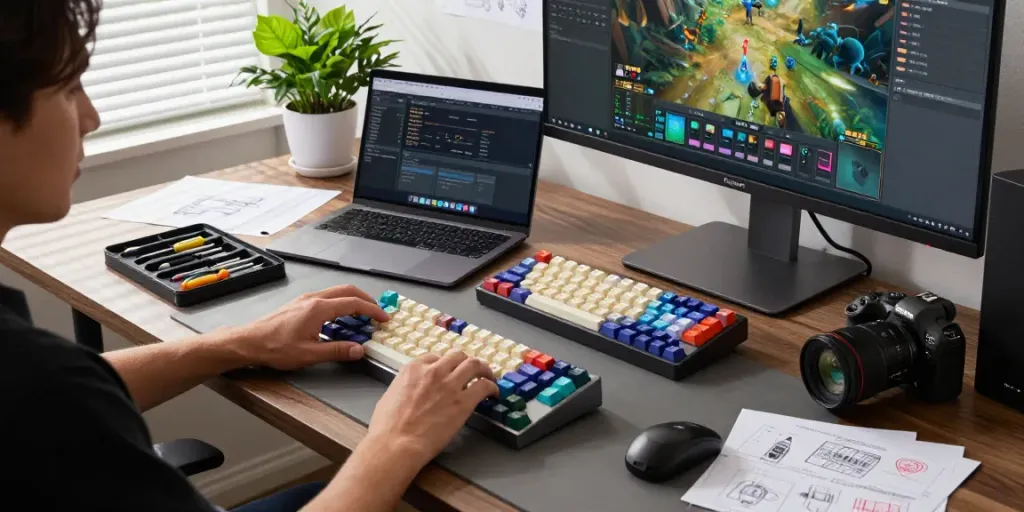
Before beginning any upgrades, set up a clean and organized workspace. Ensure you have the following tools handy:
- Screwdriver Set: To remove screws and disassemble parts.
- Keycap Puller: For safely removing and replacing keycaps.
- Switch Puller: If you plan to swap out switches.
Disassembling and Reassembling the Keyboards
Carefully disassemble your keyboard, following the manufacturer's guidelines. Start with removing the keycaps using the keycap puller. Next, unscrew the casing to access the internal components. Once you’ve completed your upgrades, reassemble the keyboard by reversing these steps.
Testing and Troubleshooting Post-Upgrade
After reassembling, it's crucial to test the keyboard thoroughly. Use keyboard testing software to ensure all keys function properly and that there are no connectivity issues. If any problems arise, double-check connections and placements of switches and keycaps.
Common Pitfalls and Misconceptions in Keyboard Upgrades
While upgrading your Wooting 60HE v2 can be incredibly satisfying, there are common pitfalls to avoid. Being aware of these can save you time and resources.
Debunking Myths About Hall Effect Switches
One prevalent misconception is that Hall Effect switches are only for gaming. In reality, they offer a broad range of applications, improving both typing accuracy and responsiveness, making them suitable for all users, including typists and gamers alike.
Understanding Compatibility Issues with Keycaps
Not all keycaps are compatible with every keyboard. Specifically, the Wooting 60HE v2 may have specific requirements regarding keycap profile and shape. Always verify compatibility before making a purchase to prevent regrets after the upgrade.
Avoiding Common Mistakes During Upgrades
It’s easy to overlook small details when upgrading. Be cautious not to force any components together, as this may cause damage. Ensure all parts fit snugly but correctly without excessive pressure.
Future Trends in Mechanical Keyboards and Upgrades
The mechanical keyboard community is continuously evolving. As we look toward the future, several exciting trends are emerging in 2026.
Predictions for Custom Keyboard Designs in 2026
Customization will dominate the keyboard landscape, with manufacturers offering more bespoke options such as programmable keys, modular designs, and enhanced personal settings. Expect to see greater accessibility to high-quality materials, enabling users to mix and match their perfect setup.
Emerging Technologies and Their Impact on Keyboards
Advancements in technology will continue to play a pivotal role in keyboard development. Innovations such as AI-assisted programming and adaptive layouts are anticipated to enhance user experience further, enabling keyboards to learn preferences and adjust on the fly.
How User Feedback Shapes Future Releases
The feedback from the keyboard community significantly impacts product development. Companies that actively listen to their users can refine designs and functionality, leading to greater product satisfaction and loyalty.
Are Hall Effect Keyboards the Future?
With their unique benefits and responsive technology, Hall Effect keyboards are likely to become increasingly popular among gamers and typists alike. Their ability to provide both precision and comfort positions them well for future trends.
Why Do Custom Keyboards Matter?
Custom keyboards are more than just tools; they represent personal expression and functionality. The ability to tailor your keyboard to your needs enhances both productivity and enjoyment, making it a critical aspect of modern computing.